



Justitia 4.0: How to prepare your law firm
A court document arrives digitally, but the responsible attorney is on vacation. Can their substitute immediately identify which case the document belongs to, which deadlines need to be checked, and what the next steps are?
Justitia 4.0 in everyday law firm life
Justitia 4.0 is driving the digitalization of the Swiss judicial system. The platform justitia.swiss is intended for electronic submissions, service of documents, and access to case files. It is used for communication with the judicial authorities managing the proceedings. For exchanges with your clients, please use separate, appropriate channels.
For your law firm, this involves more than just access to the platform. A served document must reach the correct case file. Someone must review it, record any potential deadlines, and handle the next steps. This process must function reliably, even during vacations or illness.
When does the obligation take effect?
The full entry into force of the BEKJ, the Federal Act on Platforms for Electronic Communication in the Judiciary, is currently scheduled for July 1, 2027. The Federal Council will determine the final date.
This does not mean that the same obligation applies to every law firm from that day on. For cantonal civil and criminal proceedings, the cantons determine the implementation date. For proceedings before federal authorities, the Federal Council sets the date; separate regulations apply to cantonal administrative proceedings. Therefore, the requirements of the authorities before which your firm practices are the deciding factor. More on implementation and the legal framework.
Preparation in four steps
The following recommendations will help you prepare a complete workflow.
1. Who will handle digital service?
Who will monitor incoming documents on justitia.swiss? Who is authorized to retrieve them? And who will take over during absences?
Define these responsibilities clearly. Determine which attorneys and assistants will process incoming documents and who will act as their substitute. Align the permissions on the platform and in your law firm software with these responsibilities.
2. Everything related to the case in the right file
Once retrieved, deliveries, attachments, and associated receipts must be easily locatable within the correct mandate. Define who is responsible for assigning and verifying these items.
Find out which transmission and filing steps are supported by your law firm software and which must be performed manually. Also, clarify the technical requirements for the connection. In particular, verify that receipts can be found under the correct mandate and that transmissions can be tracked.
3. Turning a document into a work order
Filing alone does not complete the delivery process. It must now be clear who is responsible for reviewing the content, recording any deadlines, and handling the next steps.
Agree on how tasks are assigned and how their completion is recorded. Also, document who is responsible for overseeing deadline monitoring. The professional review of deadlines remains part of your firm's workflow. This allows the team to see what work is still pending and who is responsible for it.
4. Can a substitute pick up the work directly?
Run through the process using completely fictional practice documents: A delivery arrives, is assigned to a mandate, and is handed over for processing. Then, the substitute takes over.
Can they find the relevant documents? Do they recognize the reviewed deadlines and open tasks? Do they know what needs to be done next?
A test environment is available for exercises on justitia.swiss. Only harmless test data is permitted there; real documents, even if redacted or anonymized, are strictly prohibited.
Law firm organization with Exxas
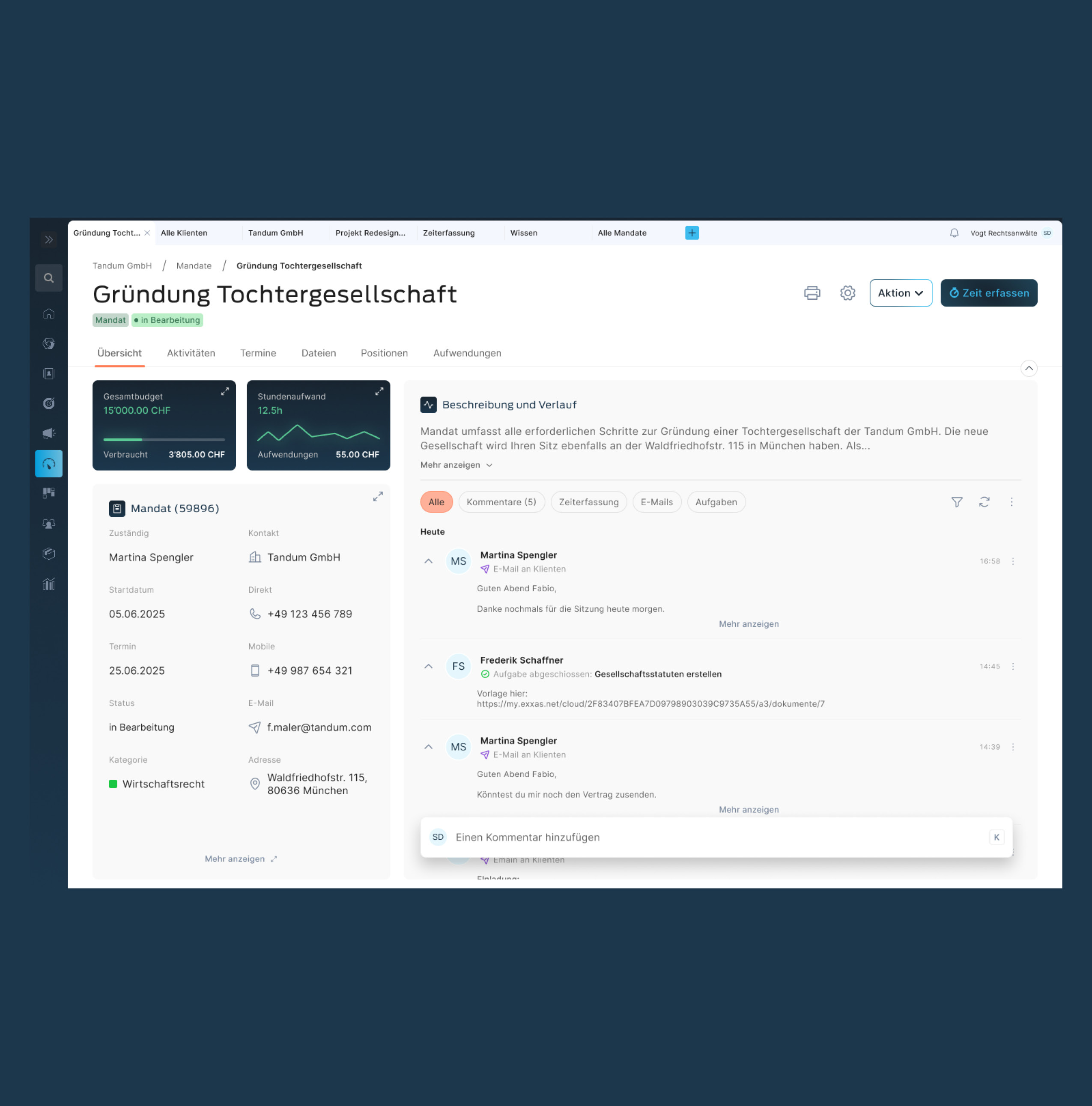
Exxas brings clients, parties, courts, and mandates together on a single platform. The relevant documents are readily available in the digital client file. Tasks can be assigned to staff and organized centrally alongside deadlines. For legal correspondence, various users can submit and manage documents from Exxas on justitia.swiss.
You can use these features together for the described workflow: file the delivery in the mandate folder, designate the responsible person, and organize further processing through assigned tasks. In the event of a handover, both the documents and the work organization are available on the same platform.
Exxas demo for your law firm
Discover in a demo how Exxas supports your law firm in preparing for digital legal communication.
As of November 12, 2026. This article is for general guidance only and does not replace legal advice in individual cases. Planned dates and implementation requirements are subject to change. The applicable legal foundations and the requirements of the competent authorities are authoritative.


